

SynthefyNoriFineTuner fine-tunes Nori on your table in your own AWS account,
deploys the result as a SageMaker asynchronous endpoint and gives you a
SynthefyNoriClient for it.
To serve the released models as they are, see
Nori Inference on Amazon SageMaker.
What you get
- A Nori model fine-tuned on your table. Fine-tuning is regression only.
- An asynchronous SageMaker endpoint in your account that serves only that model, under the name you choose.
- A training report that scores the fine-tuned model and the base model on the same rows.
Before you start
1
Install the client
2
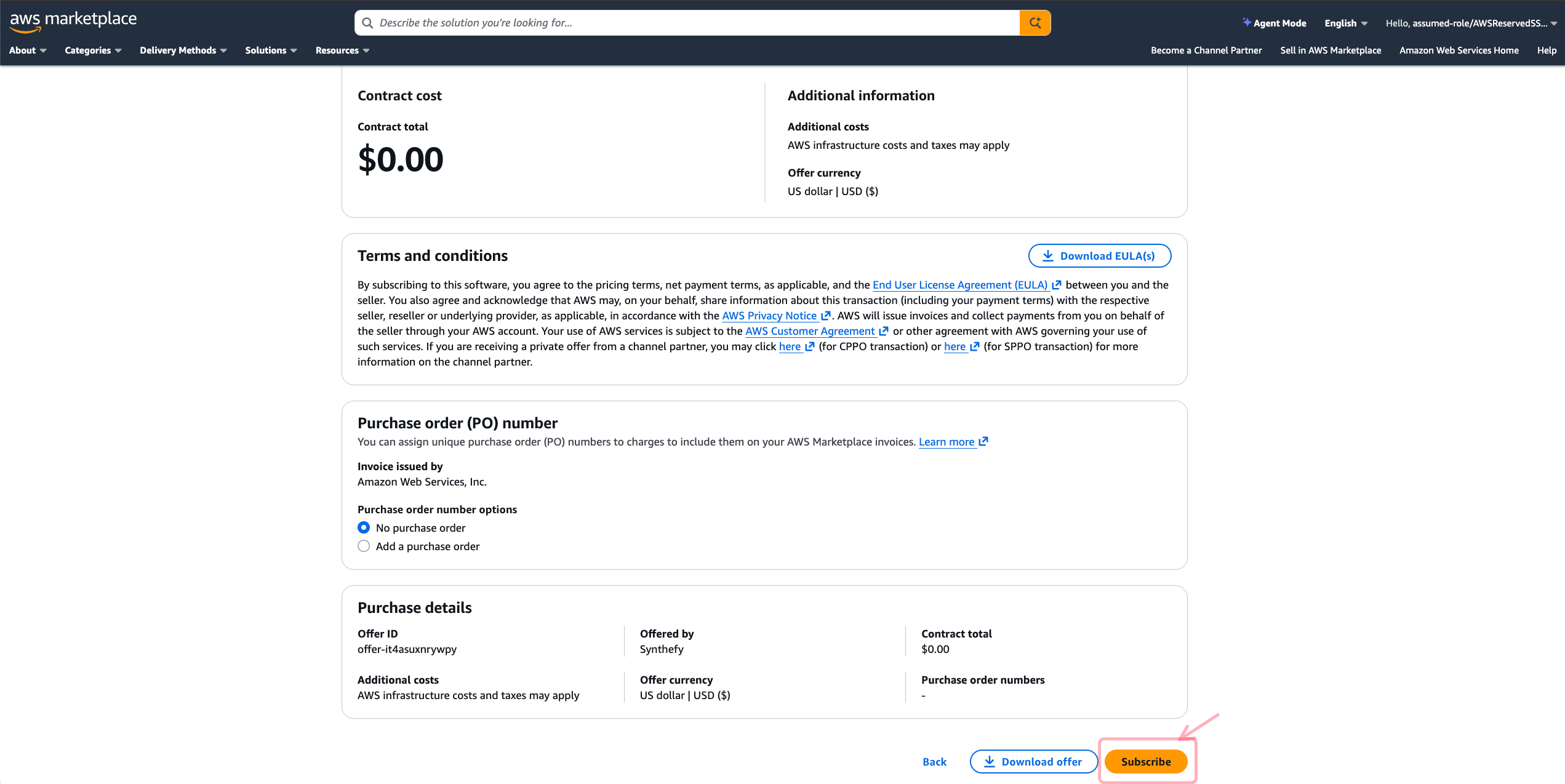
Subscribe to Synthefy - Nori Fine-Tuning
Open the Synthefy - Nori Fine-Tuning listing in AWS Marketplace and choose
View purchase options.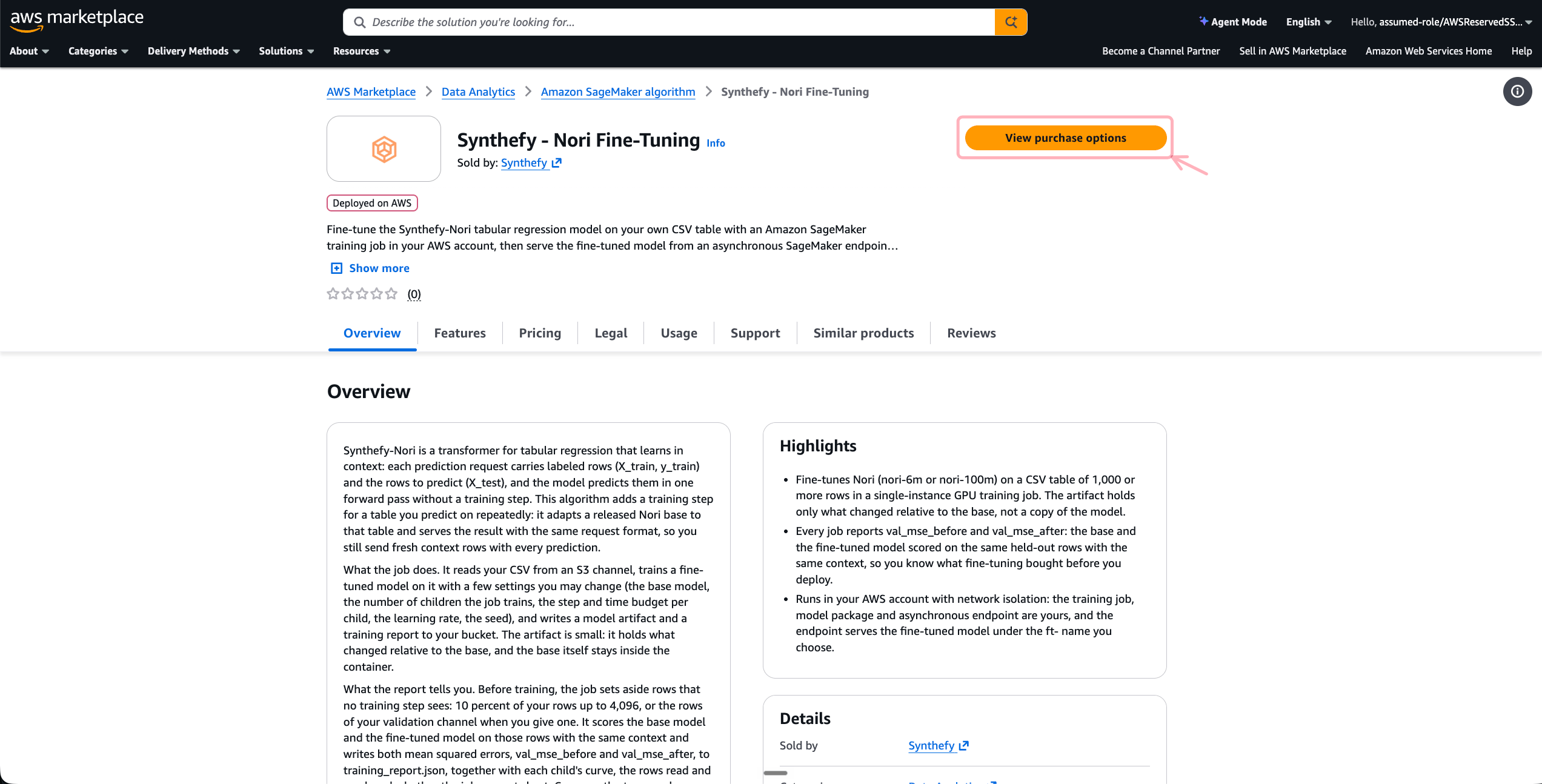
3
Copy the Algorithm ARN for your region
Once the subscription is active, choose Launch your software on the same
page. Under Algorithm ARNs, copy the ARN for your region (the JSON
view lists every region). To come back to it later, open the listing and
choose View purchase options, then Launch your software.Use that region for the bucket, the training job and the endpoint: the
client refuses an Algorithm ARN from another region before any AWS call.
You don’t need the page’s Create training job button: the client starts
the job.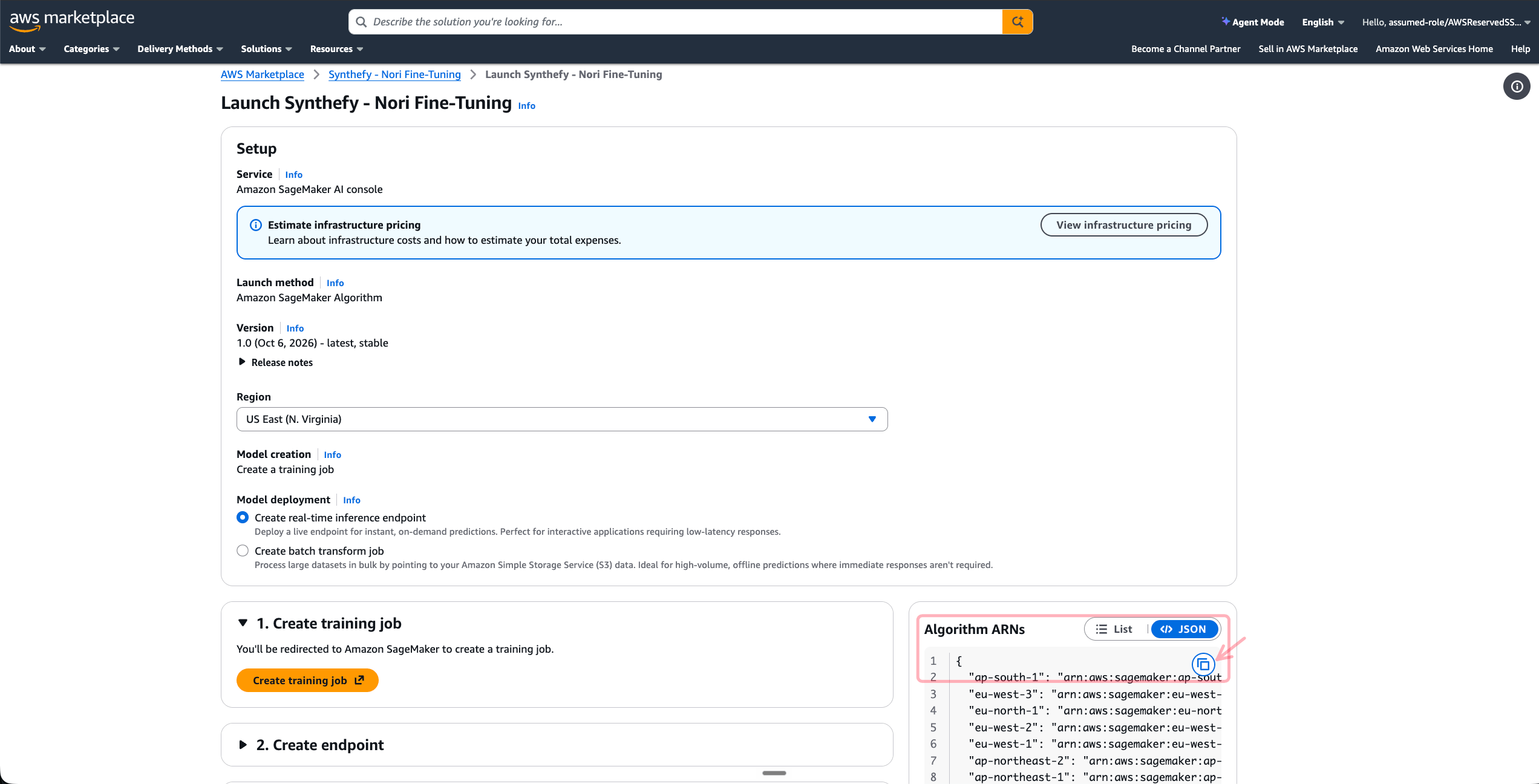
4
Create the execution role
SageMaker runs the training job and the endpoint as this role.
- Console
- AWS CLI
In the IAM console choose Roles, then Create role. Choose
AWS service, then SageMaker as the use case, and continue: the
role gets AWS’s
AmazonSageMakerFullAccess policy. Name it
nori-fine-tune-execution and choose Create role.5
Choose a bucket
Use an S3 bucket in that region whose name contains
sagemaker, such as
sagemaker-us-east-1-ACCOUNT_ID. AmazonSageMakerFullAccess grants object
access to buckets named that way, so a bucket named otherwise is refused.
To create one:AmazonSageMakerFullAccess covers every call the client makes. To grant both
identities less, use the
least-privilege policies.
A new AWS account can have no quota for GPU instances. SageMaker then refuses
the job or the endpoint before anything bills, and the error names the quota to
raise in the Service Quotas console, such as
ml.g5.xlarge for training job usage.Fine-tune a model
The snippets on this page run in order in one Python session. ReplaceACCOUNT_ID, the Algorithm ARN and the target column y with your own.
Prepare your table
Fine-tuning is regression only, on a CSV table with one header row.- Every column the job trains on must be numeric. Features may have missing values; the target must be finite in every row.
- Encode categorical columns as numbers before you upload, and keep that encoding for prediction: a text column fails the job.
- The training table needs at least 1,111 rows, or 1,000 with a validation
channel. Above 200,000 rows or 30 million cells (rows x features), the job
trains on a subsample drawn with its
seed.
training_data is one object ending in .csv or a folder ending in /. Under
a folder, the job reads every uncompressed .csv file in it and its
sub-folders, and those files must share one header. validation_data is
optional, takes the same form and has exactly the training table’s columns:
the job validates on its rows and never trains on them.
The walkthrough uses three files with the same columns: train.csv, the table
the job trains on; validation.csv, optional; and new.csv, rows the job
never sees, for the prediction below. Bring your own, or let the first snippet
write a synthetic example of each:
Start the job
The request is checked before any AWS call: the S3 locations, the hyperparameters, an instance type the base model fits and a runtime that covers every child. A data path without its trailing slash (.../train, which S3
would also match train-old/ against) or a base too large for the instance is
refused here, with the reason, rather than minutes into a billed job.
bag=2, steps=30 is a small run: the job takes 3 to 5 minutes when capacity is
available. Every hyperparameter, with its default:
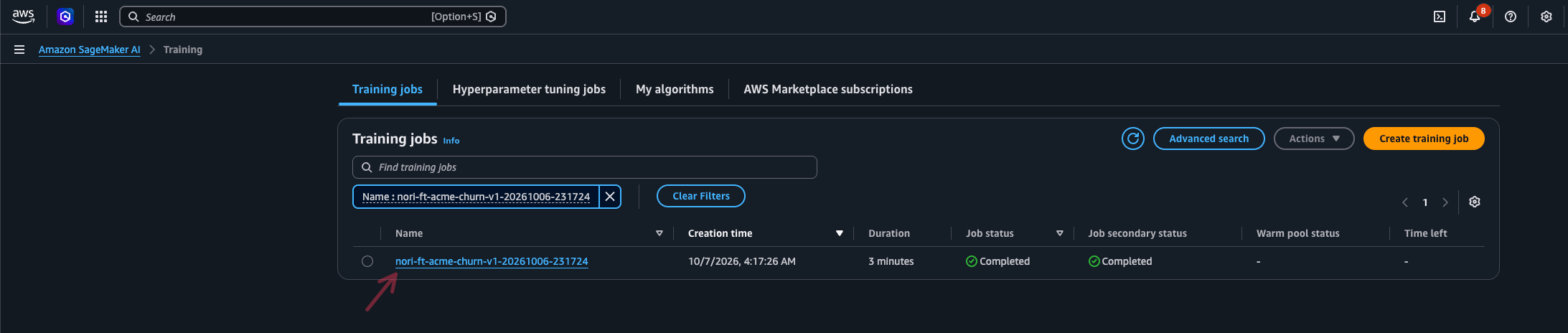
Follow the job
get_training_curves() gives one row per child and validated step:
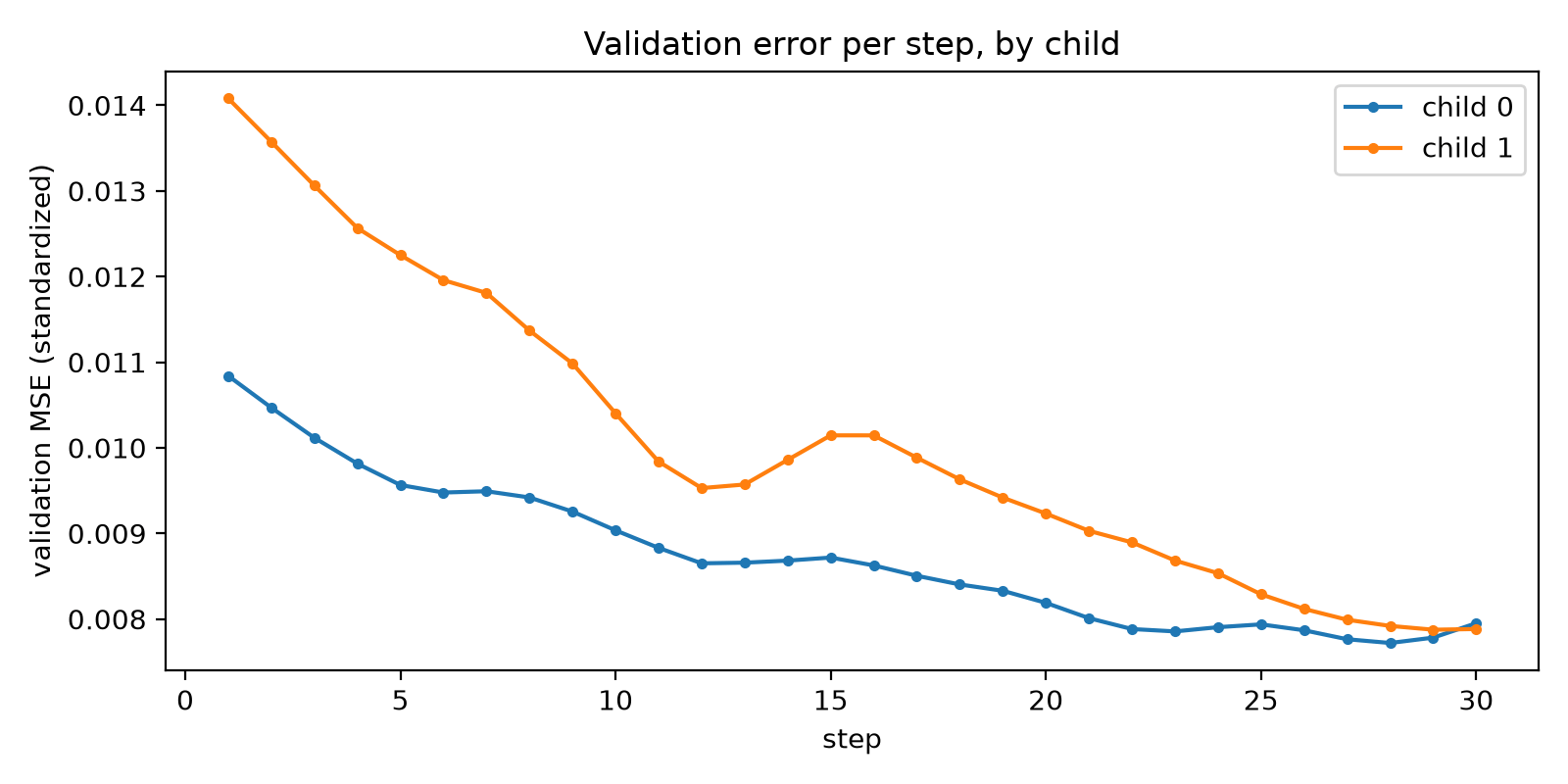
tuner.stop(job.job_name) stops a job. It still writes a model from the
training done so far when any of it improved on the base, and ends Stopped
with cut_short true in the report. A job keeps no checkpoints and cannot
resume; a new job starts again from the base.
Read the result
val_mse_before to val_mse_after is what
fine-tuning gained on your table, so always read the two together. Both are
mean squared errors in standardized target units, scored on the same rows.
Without a validation channel those rows are held out of training (10 % of the
table, up to 4,096 rows); with one, they are the channel’s rows, which also
steer the training, so val_mse_after runs a little optimistic there. The
report also names n_val_rows, n_rows_used, cut_short and model_version.
Access the fine-tuned model
The job writesmodel.tar.gz under output_path, at job.artifact_uri, with
the model, its registry entry and training_report.json. The model holds what
changed relative to the base, so you serve it through an endpoint, not on its
own. It stays in your bucket until you delete it.
From another session, pick the job up by its name; deploy() takes the name
directly:
Deploy and predict
Deploy
deploy() makes a model package from the job, a SageMaker model, an endpoint
config and the endpoint, and returns once it is InService, in 4 to 6 minutes.
Pass instance_type= for another endpoint type from the
instance table. The endpoint appears under
Endpoints in the console:

Predict
create_client() builds the same SynthefyNoriClient every Nori user has, in
SageMaker mode, bound to this endpoint and the fine-tuned model’s name. The
endpoint does not store your table, so every predict() sends context rows;
500 keeps the example small. Send the feature columns in training order,
without the target. new.csv holds rows the job never saw, so the comparison
with truth is an honest one; the validation rows would flatter it, since they
also steered the training. The endpoint serves only its own model and refuses
a request naming another, even a valid ft- name.
Several models and endpoints
A job trains one model, and an endpoint serves the one model it was deployed from: a request naming another model is refused. For several models, run one job permodel_name and deploy each:
endpoint_name to each deploy() call (the default is the model’s name).
The model package is reused, each endpoint gets its own async output
prefix under output_path, and each bills on its own. Separate endpoints
isolate workloads, for example one per team or per environment.
For throughput, add instances to one endpoint instead: each instance
handles one request at a time and extra requests wait in the endpoint’s
queue, so N instances answer N requests at once. deploy() creates the
endpoint with one instance; raise the count from the SageMaker AI console
(the endpoint’s configuration) or with aws sagemaker update-endpoint and
a new endpoint config, within your endpoint quota.
Switch it off
undeploy() deletes the endpoint, its endpoint configs and the SageMaker
model, and keeps the model package for a later deploy(). Expire
nori/invocations/ and nori/output/ft-acme-churn-v1/async/ after at least a
day.
When something goes wrong
Reference
Instance types and quotas
You need quota for one training instance and one endpoint instance. A job’s default type follows its base model:
The quotas are named like
ml.g5.xlarge for training job usage and
ml.g5.xlarge for endpoint usage. At 0 SageMaker refuses the create call
(ResourceLimitExceeded) before anything bills, and the client raises
FineTuningError naming the quota. The same quotas set how much runs at
once: N jobs on ml.g5.xlarge need its training quota at N or more, and N
endpoint instances of a type need its endpoint quota at N or more. New
accounts often start at 0 for GPU types; request what you need in the
Service Quotas console before the first job, since approval can take a
few days. Check your quota:
Least-privilege IAM policies
For production, replaceAmazonSageMakerFullAccess with two policies that
grant each identity only what it uses. With them the bucket can have any
name.
The execution role’s policy, saved as execution-policy.json with
BUCKET, REGION, ACCOUNT_ID and ALGORITHM_ARN replaced, lets:
- the job read
nori/data/and writenori/output/ - the endpoint read
nori/invocations/and write undernori/output/ - SageMaker describe the Algorithm and your model package as this role
nori-ft-... unless you set
job_name; if you set it, use its prefix in this policy.
execution-policy.json
caller-policy.json with BUCKET, REGION and ACCOUNT_ID replaced.
s3:ListBucket makes a missing object read as not found, which the client
relies on while it waits for a result. With kms_key_id, the key’s policy
must let both identities use it.
caller-policy.json
Alarms
An EventBridge rule on SageMaker’s training job state changes can email you when a job endsFailed or Stopped, and CloudWatch alarms on
InvocationFailures and ApproximateAgeOfOldestRequest watch an endpoint
you keep running. The client’s README has the commands, under
Alarms.
Next steps
Inference on Amazon SageMaker
Serve the released Nori models from one SageMaker endpoint, without fine-tuning.
Python Client
DataFrames, categorical encoding, retries, and distribution outputs.