

Included models
There is no primary or default model. Keep the same endpoint and change
model= to select another model.
Before you deploy
- Your AWS account must be allowed to subscribe to Marketplace products.
- Request SageMaker real-time endpoint quota for
ml.g5.xlargein the region where you will deploy Nori. - Use an AWS role or profile that can create SageMaker models and endpoints.
Deploy from AWS Marketplace
1
Subscribe to Synthefy Nori
Open the Synthefy Nori listing in AWS Marketplace and choose View purchase
options.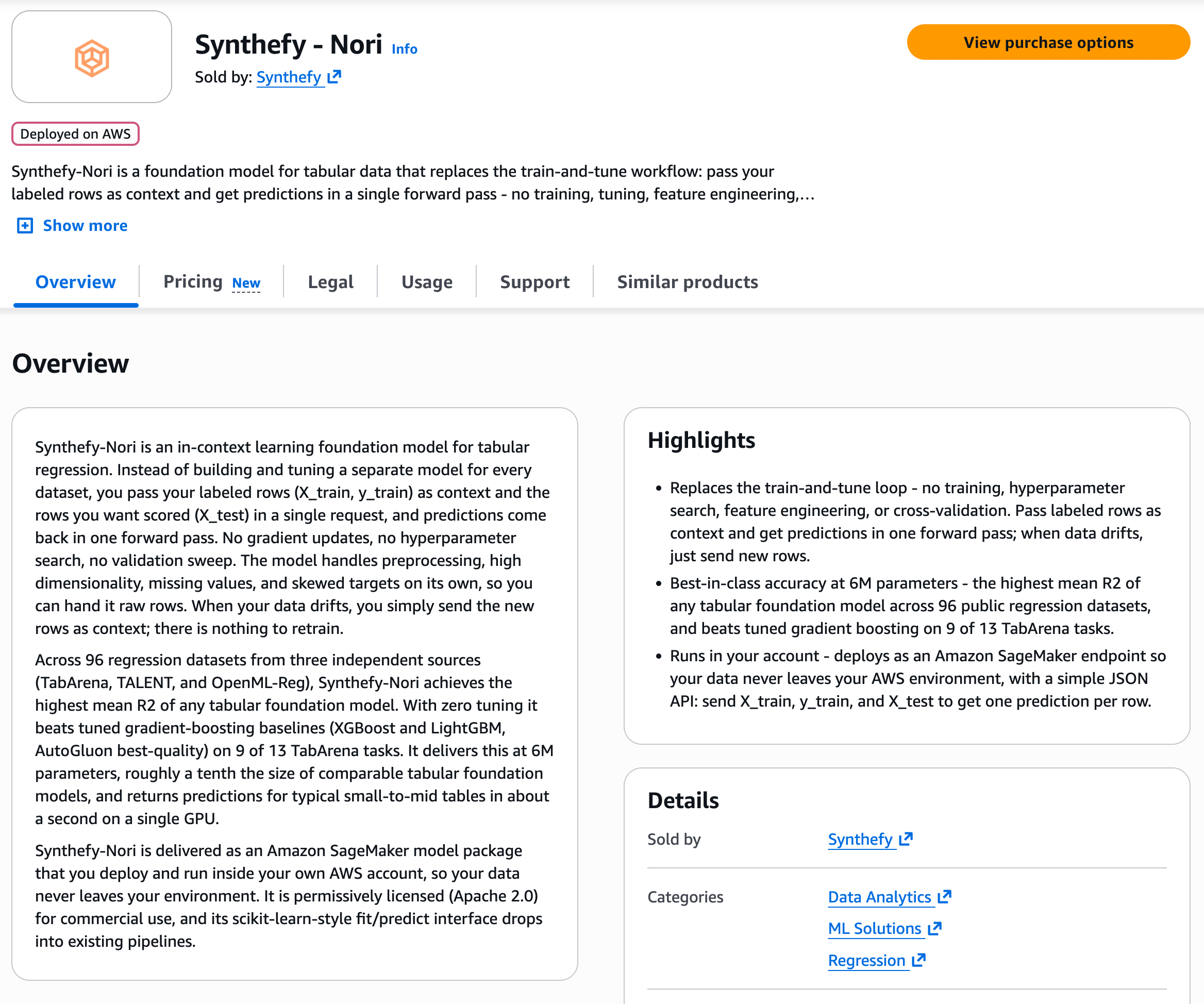
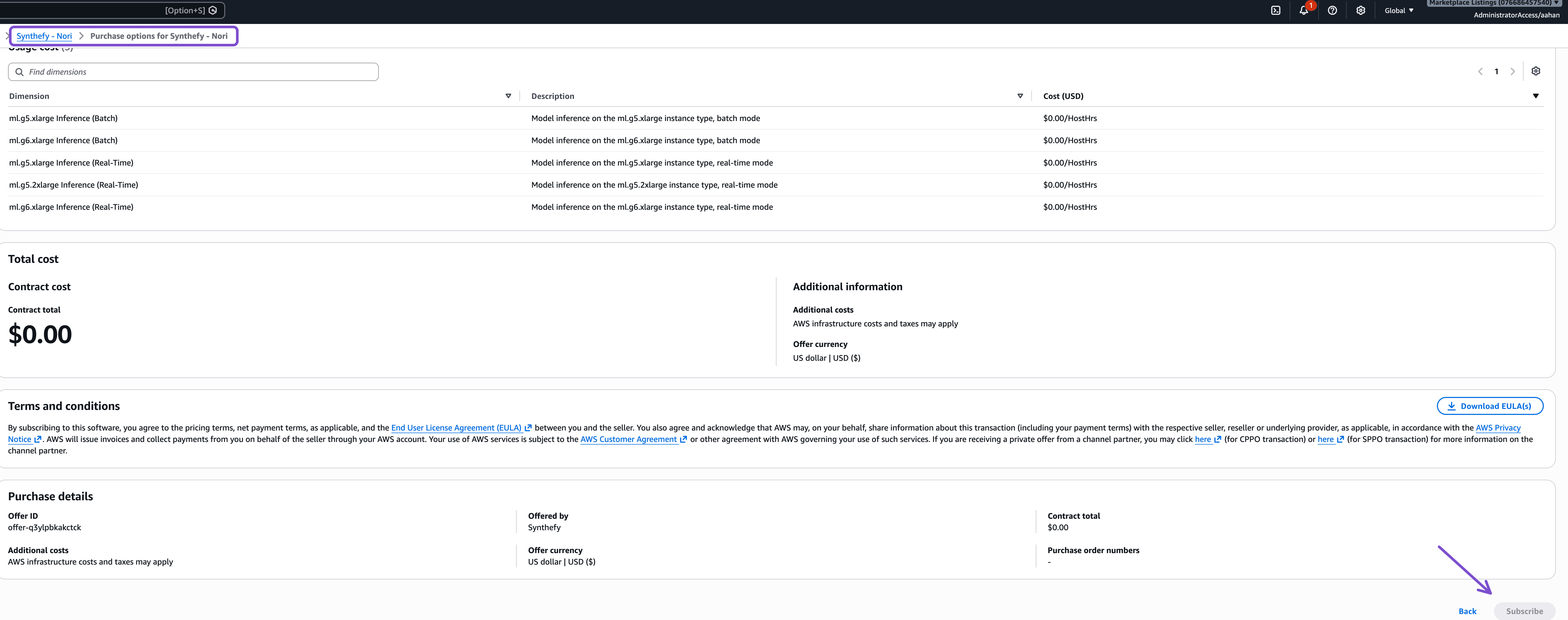
2
Launch the subscribed package
Option 1 — AWS Marketplace: after subscribing, choose Launch your
software.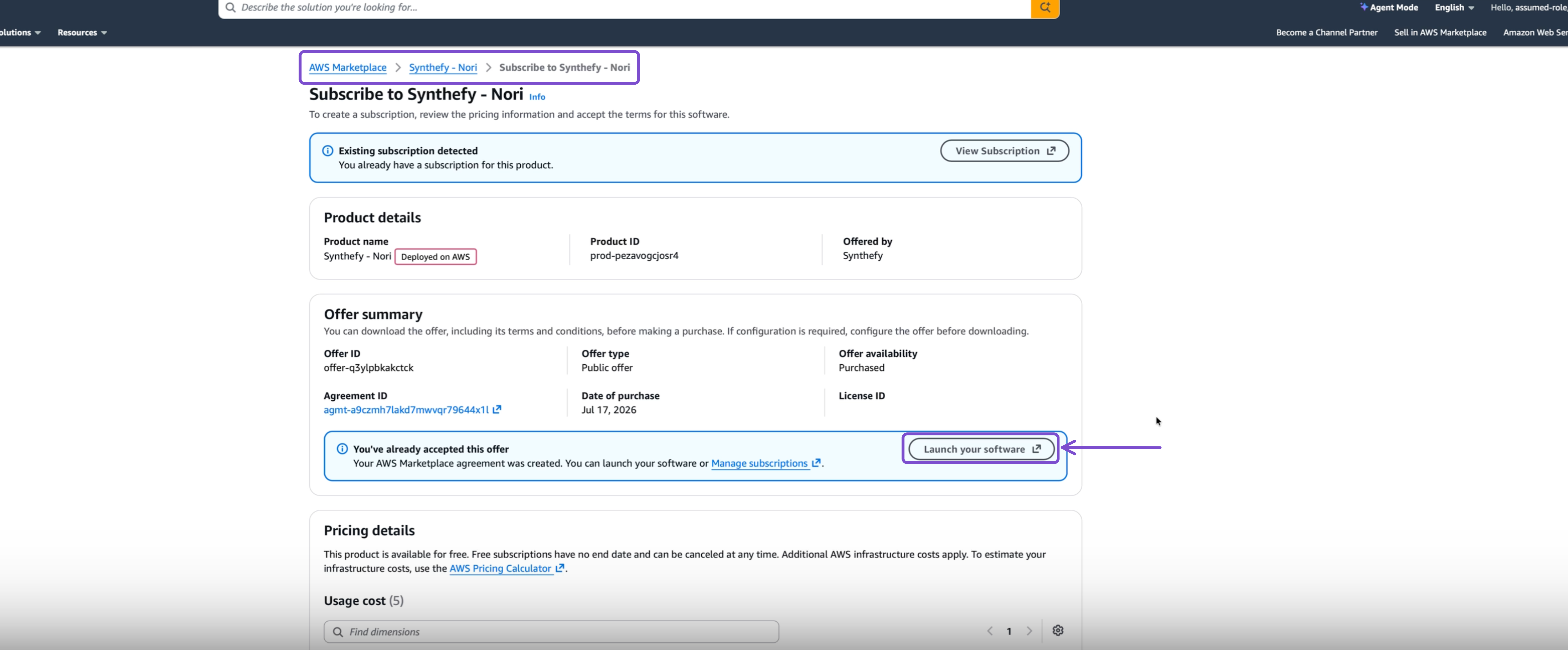
3
Create one real-time endpoint
From the Marketplace launch page, select Amazon SageMaker AI console,
choose your region and Create real-time inference endpoint, then choose
Create endpoint.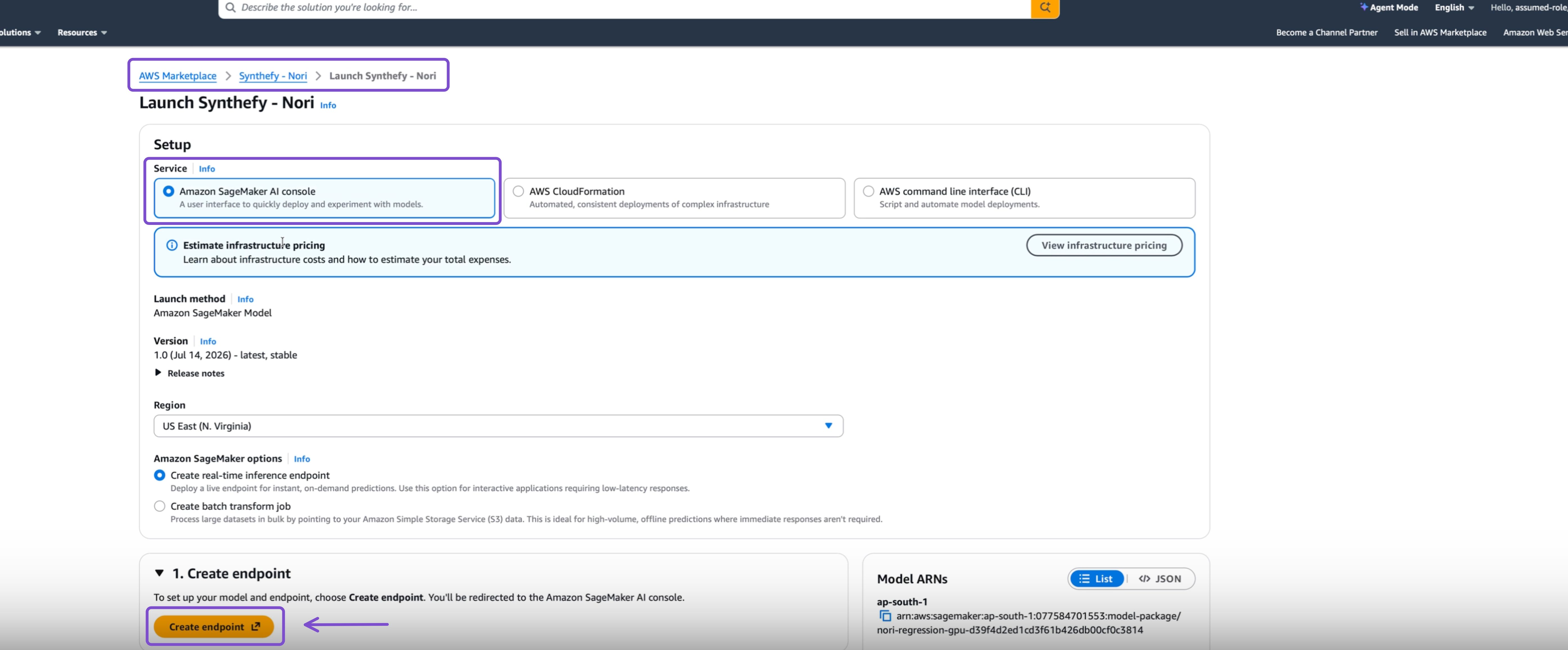
ml.g5.xlarge, set the initial instance count, and wait until the endpoint
status is InService.Invoke the endpoint
Install the Synthefy client with AWS support from the installation guide. Use the endpoint name from step three:nori_sagemaker.py
model= and keep the same endpoint name.
For DataFrames, categorical encoding, output types, and retries, see the
Python Client guide.
Requests are limited to 25 MB.
Next steps
Python Client
DataFrames, categorical encoding, retries, and distribution outputs.
Nori Quickstart
Learn the in-context regression request and model sizes.